How to Connect Your Fronius Data Manager to the Novasense Portal via FTP
For reference, Fronius's documentation for the Data Manager FTP Push configuration can be found here: Fronius Push Service.
Configuring the Fronius Data Manager
In order to export the inverter as well as the MPPT input measurements, two different export services have to be defined.
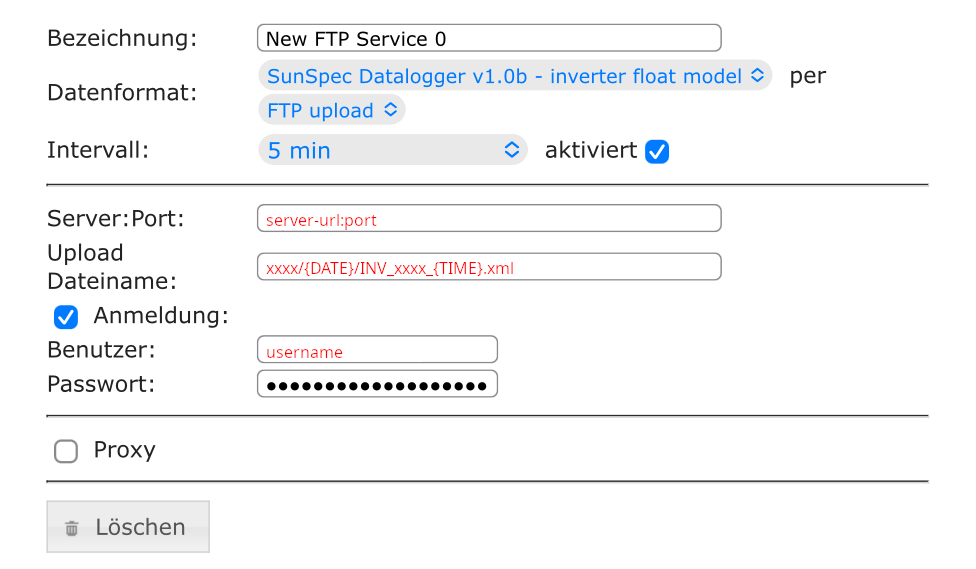
1. SunSpec - Inverter Float Model
- Data format: SunSpec Datalogger v1.0b - Inverter Float Model
- by: FTP Upload
- Interval: 5 min
- Activated: Yes
- Server:Port: Provided by the Novasense Support
- Upload file name: xxxx/{DATE}/INV_xxxx_{TIME}.xml Exact path provided by the Novasense Support
- Username: Provided by the Novasense Support
- Password: Provided by the Novasense Support
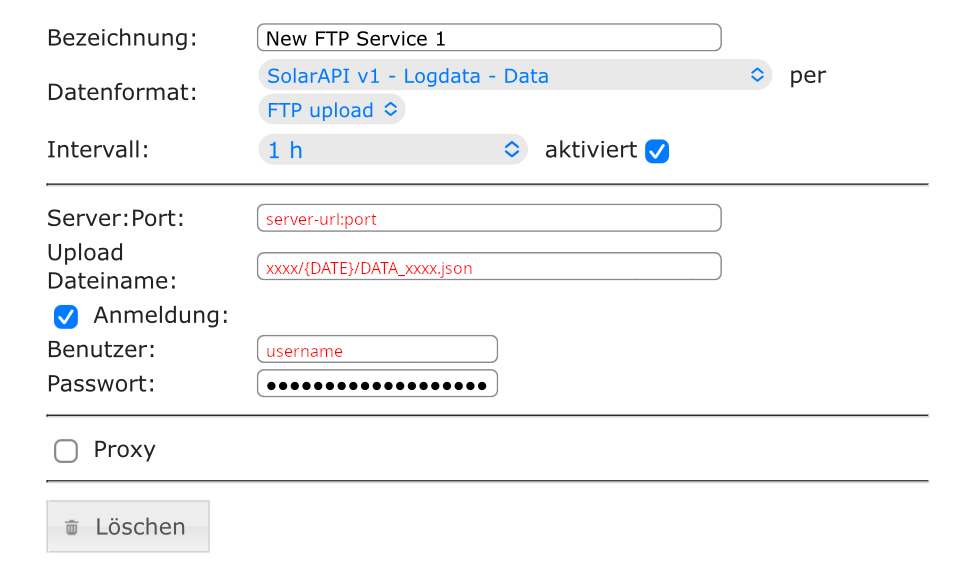
2. SolarAPI v1 - CurrentData - Inverter
- Data format: SolarAPI v1 - Logdata - Data
- by: FTP Upload
- Interval: 1 h
- Activated: Yes
- Server:Port: Provided by the Novasense Support
- Upload file name: xxxx/{DATE}/DATA_xxxx.json Exact path provided by the Novasense Support
- Username: Provided by the Novasense Support
- Password: Provided by the Novasense Support
warning
Correct date and time settings on your loggers are very important. Please ensure that you set the correct time zone, including any applicable daylight saving times for your region. Ideally, synchronize the date and time from a time server (NTP) if supported by your device.